Introduction
I’ve seen many tools come and go. But this one is different, SharePoint lists have superpowers. Strangely, many businesses don’t exploit their full capabilities. Let’s change that…
What Are SharePoint Lists?
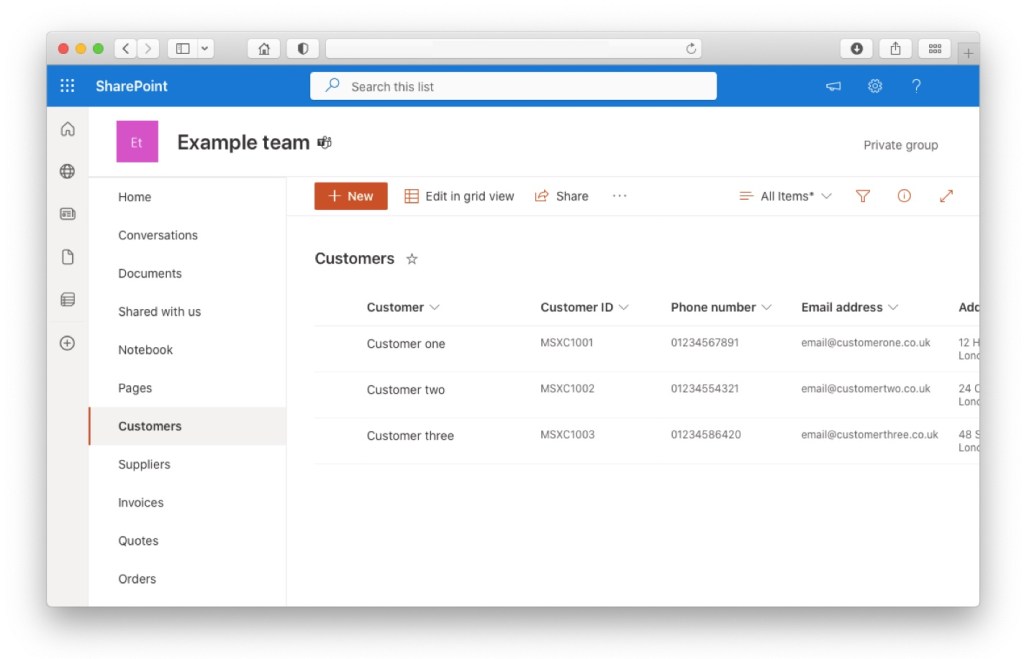
A SharePoint list is more than just a collection of items. It’s a structured, interactive table where you can store, share, and manage information. Whether it’s a simple to-do list or a complex project management tool, SharePoint lists adapt to your needs.
Why Use SharePoint Lists?
Efficiency and collaboration, SharePoint lists can enhance both. They provide a shared space where teams can track tasks, deadlines, contacts, and more. Whether you’re in the office or working remotely, SharePoint lists ensure everyone is on the same page.
Pfft… I’m a one person warrior, a Solopreneur. What do I need with collaboration?
Ah, I hear you. But you really need to start using SharePoint lists. They will supercharge your productivity. Aside to the benefits of having well structured information, the moment you add a sprinkle of Power Automate into the mix, you’re immediately functioning as a super fast, ultra accurate, elite team – all on your wonderful onesie.
Real-World Applications of SharePoint Lists
You can use SharePoint lists for pretty much anything, but here are some examples I will share in future posts:
- CRM
- Invoice creation and management
- Fault tracking
- Parts lists
- Project creation and management
- Purchase order creation and management
- Sales orders
- Supplier management
- Quote creation and management
Subscribe to our newsletter and you’ll receive a notification when they’re available.
Getting Started with SharePoint Lists
If you’re new to SharePoint lists, starting is super straightforward. Go to your SharePoint site, click on ‘New’, then ‘List’, and you’re set. You can create a list from scratch, use a template, or use an existing list. Once your list is ready, you can add items, customise columns, and share your list with your team (or keep it for your super-productive-self).
Advanced Tips for SharePoint Lists
Already a SharePoint list user? Great! But there’s always more to learn. Power users can create views to filter and sort data, connect lists to Power Automate to trigger workflows, or use Power BI to create rich visual reports. The integration with other Microsoft tools is where SharePoint lists truly come into their own.

Conclusion
SharePoint lists are a game-changer, a tool that can transform workflows and empower teams, or supercharge solo operators. Whether you’re a novice or a power user, it’s time to unlock their potential. In our quest for better business processes, let’s not overlook the tools we have at our fingertips. Remember, automation and efficiency is the future. SharePoint lists are a significant step towards an automated and accurate workflow.
Stay tuned, there’s lots of automation examples to come…
 Mike Harrison
Leave a comment